What’s new in Email Designer: save and reuse rows for faster email creation
· 2 min read
From December 10, Email Designer includes a new feature designed to speed up the creation of your emails and ensure consistently aligned communication: you can save and reuse template rows, building a personal library ready to use.
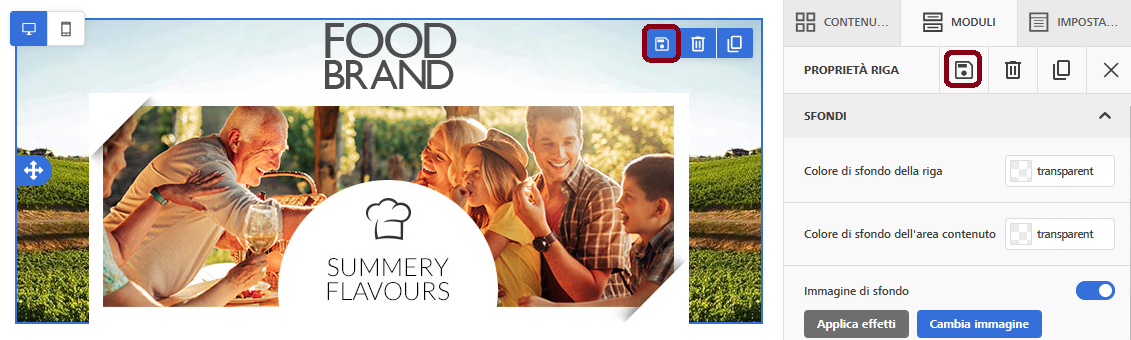
How it works
With just a few clicks, you can create a library of ready-to-use rows:
- build the row as you prefer by adding images, text, buttons, and other elements;
- save it by assigning a name and a category;
- reuse it whenever you need it when building the template, using a simple drag & drop.
You can store up to 200 saved rows and 40 customizable categories.
Why it’s useful
This new feature allows you to:
- Save time: you don’t need to recreate recurring elements like headers, footers, or informational sections from scratch.
- Ensure brand consistency: using the same saved rows avoids errors and makes your communication instantly recognizable, even across different templates.
- Simplify your work: thanks to drag & drop, you can insert the rows you need in an instant.
- Increase team efficiency: by reducing repetitive tasks, you can dedicate more time to designing high-impact content.
👉 For more information, check the user manual or contact our Customer Support.
Conclusion
With this update, you can make the creation of your templates faster, more consistent, and more efficient. A new feature designed to give you more control, more quality, and more time to focus on your strategic activities.