File-based tagging
Objective
File-based tagging is a feature that allows you to automatically update markers associated with contacts stored in the database through a daily import process from a CSV file.
The goal is to enable centralized, automated, and governed tagging of contacts, flexibly supporting different segmentation, analysis, and control strategies, while reducing manual activities and the risk of errors.
Thanks to the automatic import and controlled overwrite of marker fields, the data is immediately available for segmentation processes, independently of other existing data integration flows.
Main use cases
The feature supports three main operational and business needs:
- Tagging for target selection: enables precise identification of specific contact segments to be included in campaigns, communications, or dedicated initiatives, based on external criteria provided via CSV file.
- Tagging for target exclusion (Exclusion List): allows the definition of dynamic exclusion lists to prevent sending communications to certain contacts (for example, users already involved in other initiatives, non-eligible subjects, or regulatory constraints), without impacting the other data stored in the database.
- Tagging for control group creation: supports the creation and management of control groups for experimental and performance analysis (e.g. A/B tests, campaign incrementality measurement), ensuring traceability over time of the contacts belonging to these groups.
General description
The system runs a daily import process that reads a CSV file named marker.csv and updates the following fields on the contacts present in the database:
marker1(string)marker1_date(date)
The import operates exclusively on contacts included in the file and identified through a configurable matching key.
Technical configuration
File source
- Access to a dedicated SFTP space, provided and managed by Contactlab
- Presence of a folder dedicated to the import
- Mandatory file name:
marker.csv
Parsing parameters
Configurable by the Contactlab team:
- Field separator (e.g.
;,,) - Field delimiter (e.g.
")
Matching key
The key used to identify the contact in the database is configurable and can take one of the following values:
intIdidexternalIdbase.contacts.emailbase.contacts.phonebase.contacts.mobilePhone
File structure
The CSV file must contain exactly 3 fields, in the following order:
- Configured matching key field
marker1(string)marker1_date(date, inYYYY-MM-DDformat)
Import behavior
The import process follows these rules:
- Only contacts included in the CSV file for which a valid match is found on the configured key are updated.
- Contacts present in the database but not included in the CSV file are not modified (any existing markers are preserved).
- The values provided in the CSV file for the following fields:
marker1marker1_date
always overwrite the existing values in the database, including empty or null values.
- If the daily
marker.csvfile is missing, no changes are applied and themarker1andmarker1_datefields remain unchanged.
Reporting and monitoring
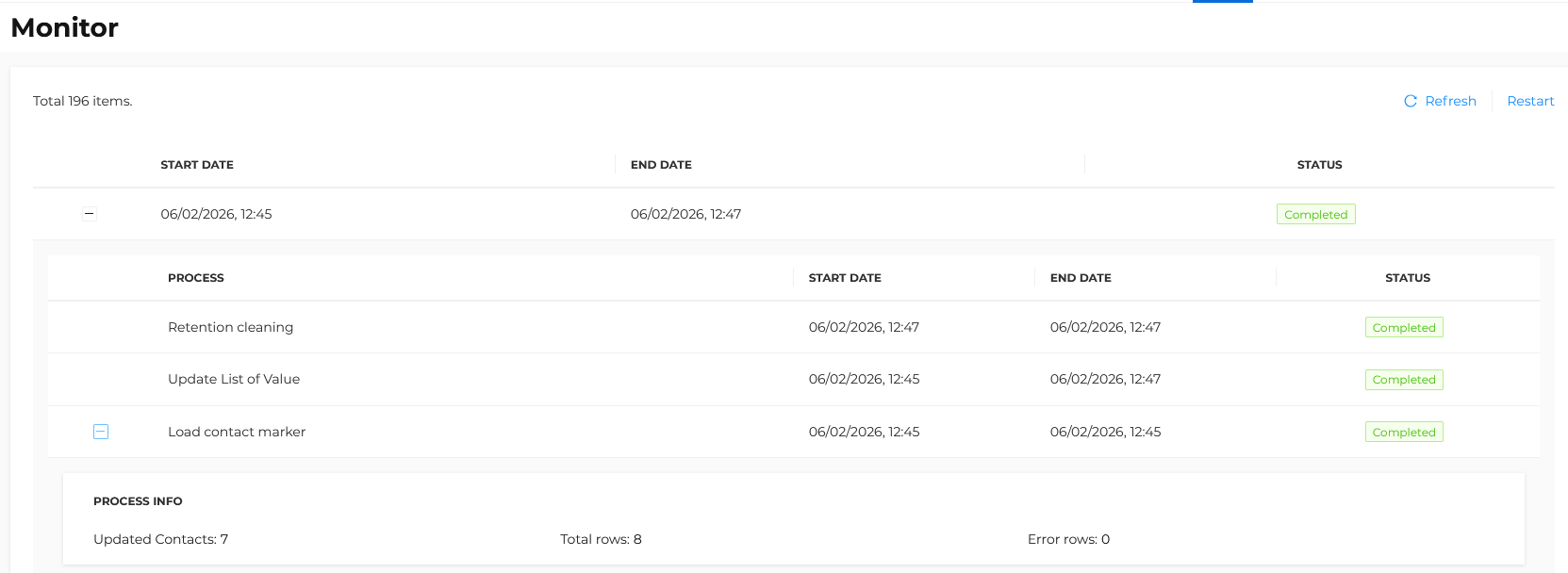
At the end of each execution, the import result can be consulted in the platform interface from the following section:
Segments > Monitor
For each import, the following indicators are displayed:
- Total rows processed
- Total contacts updated
- Total errors encountered
This allows detailed monitoring of data quality and the effective application of the imported data.
Marker management and cleanup
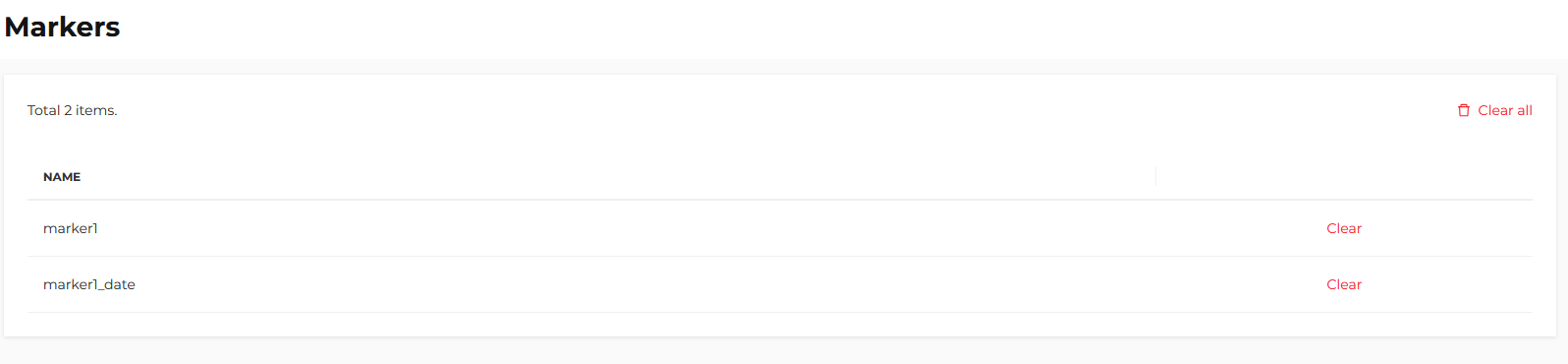
A manual management function is available to users with the Admin role, accessible from the following section:
Settings > Segments > Markers
From this section it is possible to:
- Clear all marker fields for the entire database
- Clear a specific selected marker
This feature allows quick reset or cleanup operations in case of operational needs or data realignment.